Just enter your name & a valid email address to secure your spot on this master class and you'll immediately be enrolled in this powerful chock-full free class!
** LIMITED AVAILABILITY - 100 SEATS WILL FILL FAST! **
What You Will Discover On This FREE Online Seminar:
Secret 1: The Best Kind of Market to Trade and How to Trade It
It's very risky to trade commodities, the Forex market, and even regular stocks much of the time. So, how can you profit from the market without taking this kind of risk? This training will show you what to trade.
Secret 2: How to Drastically Reduce Risk in Trading
There are ways to minimize your risk in trading. Why throw money into the wind when you don't have to? Discover a tested-and-proven method to help minimize loss while maximizing your potential gain.
Secret 3: How to Make Money If the Market Goes Up or Down
Did you know that you can potentially profit when the market goes up AND down...at the same time? Unheard of, don't you think? Not so fast! This training will show you exactly how this works!
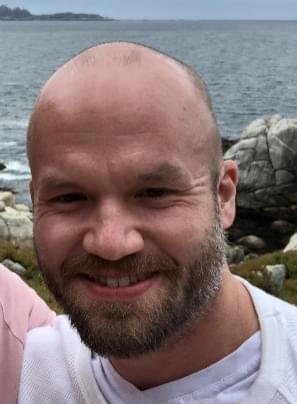
"This Changed My Life and This Can Change Yours Too!"
~Aran Dunlop
Real People, Real Success
This is an important legal notice as required by U.S. law: There is a substantial risk of loss trading the stock market with or without this or any other advertised product, service, book or system. Past results do not necessarily indicate or promise future results. No representation is being made that any margin account will or is likely to achieve profits or losses similar to those shown. Except where identified as actual profits, references to profits may reflect profits in hypothetical or simulated trading. Hypothetical or simulated performance results have certain inherent limitations. Unlike an actual performance record, simulated performance results do not represent actual trading. Also, since the trades have not actually been executed, the results may have under- or over-compensated for the impact, if any, of certain market factors, such as lack of liquidity. Hypothetical trading results are also subject to the fact that they are designed with the benefit of hindsight. No representation is being made that any account will or is likely to achieve profits or losses similar to those shown. Be aware that investment in any of these markets including stocks, bonds, options, futures and/or ETFs have large potential rewards, but also large risks. You must be aware of these risks and be willing to accept them to invest in the markets. Do NOT trade with money you can’t afford to lose. Your decision to trade any market – whether presented as low risk or high risk – should be based on your particular financial circumstances and trading objectives. You can achieve profits far less or far greater than represented. There are absolutely no income guarantees. Always trade at your own risk.